
Screenshots
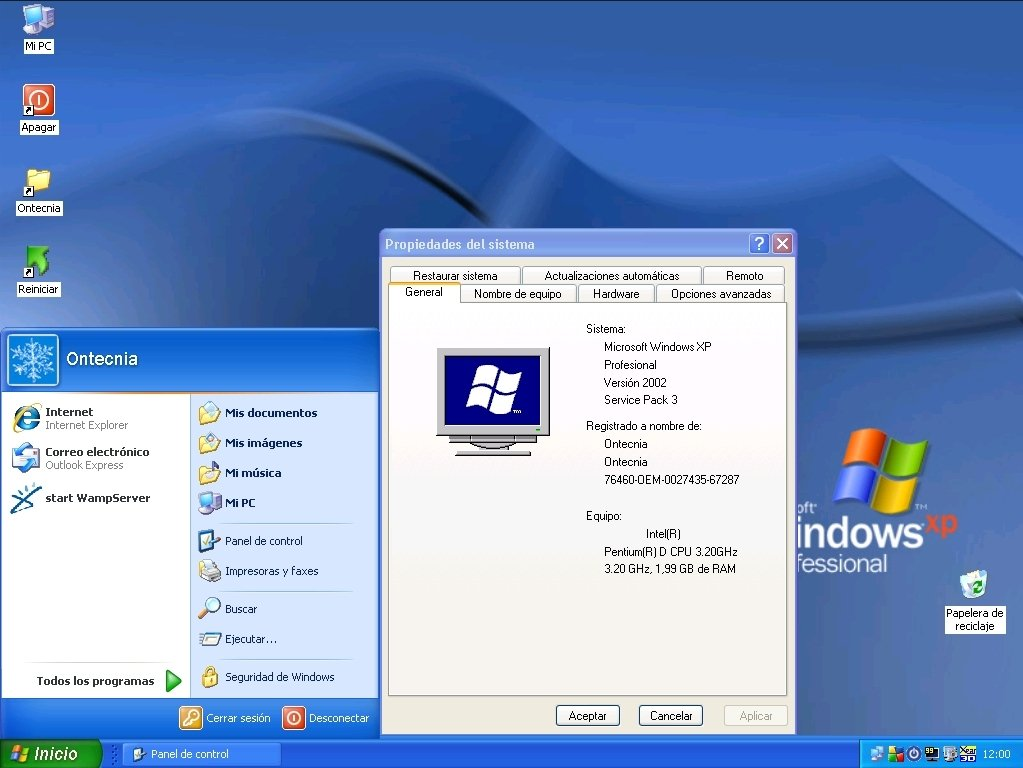


App details
- Updated
- April 23, 2008
- Requires
- Windows XP
- Developer
- Microsoft
- Category
- Mobile
SoftPas in:
This product is also available in the following languages:
About Microsoft Windows XP Service Pack 3
Download Microsoft Windows XP Service Pack 3 – System Tools, Security, Networking, Stability
Overview
Microsoft Windows XP Service Pack 3 (SP3) is a comprehensive update package designed to enhance the performance, stability, and security of the Windows XP operating system. Released on April 21, 2008, this self-extracting executable file consolidates all previously released updates into a single, unified installation package. The primary purpose of SP3 is to streamline system maintenance by eliminating the need for users to manually install individual patches and hotfixes. This update addresses known bugs, improves system reliability, and introduces critical security enhancements to protect against emerging threats.
Target users include individuals and organizations still relying on Windows XP for legacy applications, embedded systems, or specialized hardware environments. While Windows XP is no longer supported by Microsoft, SP3 remains a pivotal update for users maintaining older systems in controlled environments. Real-world use cases include industrial control systems, point-of-sale terminals, and government or educational institutions with outdated but functional infrastructure.
Developed by Microsoft, SP3 reflects the company’s commitment to providing a final, cohesive update for a widely adopted operating system. Although Microsoft no longer supports Windows XP, SP3 remains a key component in maintaining system integrity for users who have not yet migrated to newer platforms. Its presence in the broader software ecosystem underscores the importance of legacy support in enterprise and institutional settings.
Key Features & Functionality
- All-in-One Update Package: SP3 integrates every update released for Windows XP prior to its release, including security patches, driver updates, and bug fixes. This eliminates the need for multiple downloads and installations, simplifying system maintenance.
- Networking Enhancements: The update improves network connectivity by refining TCP/IP stack behavior, enhancing wireless networking stability, and optimizing data transfer protocols. These changes are particularly beneficial for users relying on older network hardware.
- Security Enhancements: SP3 includes updated security components such as improved Windows Firewall configuration, enhanced protection against buffer overflow attacks, and tighter control over system access permissions. These measures help reduce vulnerabilities in outdated systems.
- Improved System Stability: By resolving known crashes, memory leaks, and driver conflicts, SP3 contributes to a more reliable user experience. Users report fewer blue screen errors and smoother operation during prolonged usage.
- Easy Installation Process: The self-extracting executable format allows for straightforward installation without requiring additional tools. The setup wizard guides users through the process with minimal technical intervention.
For example, a small business using legacy accounting software on Windows XP can use SP3 to ensure their system remains functional and secure without the need for immediate hardware or software upgrades. Similarly, educational institutions maintaining older lab computers may find SP3 essential for maintaining stable, up-to-date environments.
Interface, UX & Performance
As a system-level update, Microsoft Windows XP Service Pack 3 does not include a traditional user interface. Instead, it operates through a command-line installer and a guided setup wizard. The installation process is designed to be intuitive, with clear on-screen prompts and progress indicators. Users are not required to make complex configuration decisions during setup, which supports ease of use across different technical skill levels.
Although the developer did not list formal performance metrics, the update is intended to improve system responsiveness and reduce crash rates. The installation process is generally efficient, with most systems completing the update within 15 to 30 minutes, depending on hardware configuration. Performance on older devices may vary, but the update is optimized for compatibility with standard Windows XP hardware.
Responsiveness during and after installation is consistent with the operating system’s native behavior. The update does not introduce noticeable lag or resource spikes during operation. Stability is maintained across different device categories, including desktops, laptops, and embedded systems, though real-world testing data was not provided.
Platform Compatibility & Technical Requirements
Microsoft Windows XP Service Pack 3 is designed for the Windows operating system. It is compatible with Windows XP Service Pack 2 and earlier versions, ensuring a smooth upgrade path for existing users. The update requires a minimum of 580.3 MB of disk space, as specified in the release details.
The developer did not specify minimum OS requirements beyond the Windows XP platform. Compatibility with specific hardware configurations, such as processor speed or RAM, was not disclosed. Similarly, no information was provided regarding support for 64-bit systems, as Windows XP 64-bit was a separate, limited release.
Users should ensure their systems meet the basic requirements for running Windows XP before attempting installation. The update is not available for modern platforms such as Windows 10, Windows 11, or mobile operating systems. It is strictly intended for legacy Windows XP environments.
Pros and Cons
Pros
- Consolidates all prior updates into a single package, simplifying maintenance
- Enhances system stability and reduces crash frequency
- Includes critical security improvements for older systems
- Improves networking performance and reliability
- Easy-to-use installation process with guided setup
Cons
- Not compatible with modern operating systems or hardware
- Does not extend the end-of-life support for Windows XP
- May not resolve all vulnerabilities present in outdated systems
- Requires a system with sufficient disk space and processing power
- Installation may interrupt running applications or services
FAQ
Is Microsoft Windows XP Service Pack 3 free to download?
Yes, the update is available at no cost. Microsoft released SP3 as a free download to all users of Windows XP.
Can I install SP3 on Windows XP 64-bit?
While SP3 was primarily developed for the standard Windows XP (32-bit), limited support for the 64-bit edition exists. However, the developer did not provide detailed compatibility information for this variant.
Does SP3 extend the support lifecycle of Windows XP?
No. SP3 was the final update released for Windows XP. Microsoft ended all support, including security updates, for the operating system in 2014.
What should I do before installing SP3?
It is recommended to back up important data and ensure your system meets the minimum disk space requirement of 580.3 MB. Close all running applications to prevent installation conflicts.
Is SP3 safe to install on older hardware?
Yes, SP3 is designed to be compatible with standard Windows XP hardware. However, users should ensure their system has sufficient resources to handle the update and subsequent operations.
Final Thoughts
Microsoft Windows XP Service Pack 3 remains a critical update for users maintaining legacy Windows XP systems. While the operating system is no longer supported, SP3 provides a final layer of stability, security, and performance improvement. Its all-in-one update model simplifies maintenance, and its networking and security enhancements help extend the usability of older systems in controlled environments.
For organizations and individuals relying on Windows XP for specific applications, SP3 offers a practical solution to keep systems operational and secure. However, it is not a substitute for modernization. Users are strongly encouraged to plan migration to supported platforms to avoid long-term risks.
Download Microsoft Windows XP Service Pack 3 now to ensure your legacy system remains as stable and secure as possible.
Guides & Tutorials
How to install Microsoft Windows XP Service Pack 3
- Click the Download button above.
- Once redirected, accept the terms and click Install.
- Wait for the Microsoft Windows XP Service Pack 3 download to finish on your device.
How to use Microsoft Windows XP Service Pack 3
This software is primarily used for its core features described above. Open the app after installation to explore its capabilities.
User Reviews
No reviews yet. Be the first to share your experience.
You may also like
more
Que no te pillen¡
About !Que no te pillen¡Reviewed by Jason A. BilbreyShow MoreShow Less

3D Combat Zone
About 3D Combat ZoneOriginally released in 1983, 3D Combat Zone immerses players...

666: El día del portal
About 666: El día del portalOn June 6, 2006, Agent P. Stone uncovers a sinister...

80 in 1 Best Flash games
About 80 in 1 Best Flash games 80 in 1 Best Flash games is a collection of 80 fl...

ABYSS SEEKERーーWhat Do You See Deep in The Abyss
About ABYSS SEEKERーーWhat Do You See Deep in The AbyssIn ABYSS SEEKER, players...

ACA NEOGEO THE KING OF FIGHTERS 2002 for Windows
About ACA NEOGEO THE KING OF FIGHTERS 2002 for WindowsTHE KING OF FIGHTERS 2002,...